- NTP Synchronization and measuring Latency
- Latency reduction
- Lip Sync ( Audio Video Synchronization)
- Synchronize clocks
- Congestion Control in Real Time Systems
- Transport Protocol Optimization
- Fasten session establishment
- Trade-Off of Latency vs Quality
- Container Formats for Streaming
- TCP based streaming
- UDP based streaming
- Real-Time Messaging Protocol (RTMP)
- RTSP (Real-Time Streaming Protocol)
- LL ( Low Latency) – HTTP Live Streaming (HLS)
- MPEG -DASH
- WebRTC (Web Based Real Time Communication)
- Transport protocol
- P2P (Peer-to-Peer) Connections
- Choice of Codecs
- Network Adaptation
- CMAF (Common Media Application Format)
Key components of Low latency streaming include systems that can support second or even subsecond latency. To achieve this a system should have
- Low latency encoders on edge devices, ideally <100ms processing + small Rx buffers
- Global distribution with many pop ( point of presence) at ideally ~50ms from user. Anycast routing works best for lowest latency
- Stateless protocols / soft state session tracking
- Fast codecs on fast transport as UDP
Designing a low-latency streaming protocol and platform involves overcoming significant technical challenges across multiple layers of network stack.
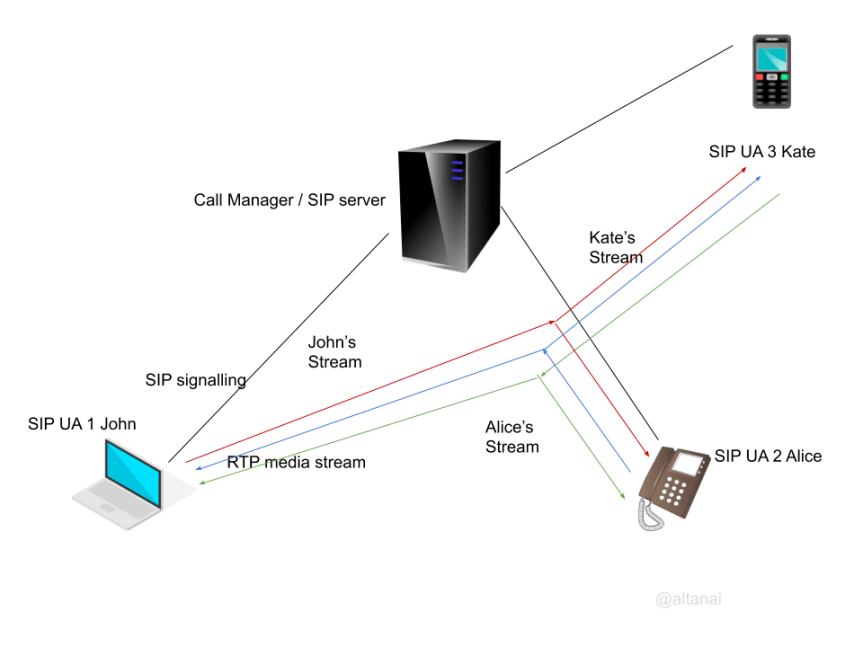
NTP Synchronization and measuring Latency
As latency is critical to maintaining a good Qos in glass to glass streaming and also to implement congestion control, it is critical to measure latency as precisely as possible.
A NTP Time server measures the number of seconds that have elapsed since January 1, 1970. NTP time stamp can represent time values to an accuracy of ± 0.1 nanoseconds (ns). In RTP spec it is a 64-bit double word where top 32 bits represent seconds, and the bottom 32 bits represent fractions of a second. For measuring latency in RTP however NTP time server is not used, instead the audio capture clock forms the basis for NTP time calculation.
RTP/(RTP sample rate) = (NTP + offset) x scale
The latency is then calculated with accurate mappings between the NTP time and RTP media time stamps by sending RTCP packets for each media stream.
Latency can be induced at various points in the systems
- Transmitter Latency in the capture, encoding and/or packetization
- Network latency including gateways, load balancing, buffering
- Media path having TURN servers for Network address traversal, delay due to low bandwidth, transcoding delays in media servers.
- Receiver delays in playback due to buffer delay, playout delay by decoder due to hardware constraints
The delay can be caused by one or many stages of the path in the media stream and would be a cumulative sum of all individual delays. For this reason, TCP is a bad candidate due to its latency incurred in packet reordering and fair congestion control mechanisms. While TCP continues to provide signaling transport, the media is streamed over RTP/UDP.
Latency reduction
Although modern media stacks such as WebRTC are designed to be adaptable for dynamic network condition, the issues of bandwidth unpredictability leads to packet loss and eventually low Qos. Effective techniques to reduce latency :
- Dynamic network analysis and bandwidth estimation for adaptive streaming ensure low latency stream reception at the remote end.
- Silence suppression: This is an effective way to save bandwidth
- (+) typical bandwidth reduction after using silence suppression ~50%
- Noise filtering and Background blurring are also efficient ways to reduce the network traffic
- Forward error correction or redundant encoding, techniques help to recover from packet loss faster than retransmission requests via NACK
- Increased Compression can also optimize packetization and transmission of raw data that targets low latency
- Predictive decoding and end point controlled congestion
Ineffective techniques that do not improve QoS even if reduce latency
- minimizing headers in every PDU: Some extra headers such as CSRC or timestamp can be removed to create RTPLite but significant disadvantages include having to functionalities using custom logic as
- (-) removing timestamp would lead to issues in cross-media sync ( lip-sync) or jitter, packet loss sync
- (-) Removing contributing source identifiers (SSRC ) could lead to issues in managing source identity in multicast or via media gateway.
- Too many TURN, STUN servers and candidates collection
- lowering resolution or bitrate may achieve low latency but is far from the hi-definition experience that users expect.
Lip Sync ( Audio Video Synchronization)
Many real time communication and streaming platforms have separate audio and video processing pipelines. The output of these two can go out of sync due to differing latency or speed and may may appear out of sync at the playback on receivers end. As the skew increases the viewers perceive it as bad quality.
According to convention, at the input to the encoder, the audio should not lead the video by more than 15 ms and should not lag the video by more than 45 ms. Generally the lip sync tolerance is at +- 15 ms.
Synchronize clocks
The clock helps in various ways to make the streaming faster by calculating delays with precision
- NTP timestamps help the endpoints measure their delays.
- Sequence numbers detect losses as it increases by 1 for each packet transmitted. The timestamps increase by the time covered by a packet which is useful for correcting timing order, playout delay compensation etc.
To compute transmission time the sender and receiver clocks need to be synchronized with milliseconds of precision. But this is unlikely in a heterogeneous environment as hosts may have different clock speeds. Clock Synchronization can be achieved in various ways
- NTP synchronization : For multimedia conferences the NTP timestamp from RTCP SR is used to give a common time reference that can associate these independant timesatmps witha wall clock shared time. Thei allows media synchronization between sender in a single session. Additionally RFC 3550 specifies one media-timestamp in the RTP data header and a mapping between such timestamp and a globally synchronized clock( NTP), carried as RTCP timestamp mappings.
2. MultiCast synchronization: receivers synchronize to sender’s RTP Header media timestamp
- (-) good approach for multicast sessions
3. Round Trip Time measurement as a workaround to calculate clock sync. A round trip propagation delay can help the host sync its clock with peers.
roundtrip_time = send timestamp - reflected timestamp tramission_time = roundtrip_time / 2
- (-) this approach assumes equal time for sending and receiving packet which is not the case in cellular networks. thus not suited for networks which are time asymmetrical.
- (-) transmission time can also vary with jitter. ( some packets arrive in bursts and some be delayed)
- (-) subjected to packet loss
4. Adjust playout delay via Marker Bit : Marker bit indicates beginning of talk spurt. This lets the receiver adjust the playout delay to compensate fir the different click rates between sender and receiver and/or network delay jitter.

Receivers can perform delay adaption using marker bit as long as the reordering time of market bit packer with respect to other packets is less than the playout delay. Else the receiver waits for the next talkspurt.

Similar examples from WebRTC RTP dumps

Congestion Control in Real Time Systems
Congestion is when we have reached the peak limit the network can support and path can handle. There could be many reasons for congestion as limits by ISP, high usage at certain time, failure on some network resources causing other relay to be overloaded so on. Congestion can result in
- dropping excess packets => high packet loss
- increased buffering -> overloaded packets will queue and cause erratic delivery -> high jitter
- progressively increasing round trip time
- congestion control algorithms send explicit notification which trigger other nodes to activate congestion control.

A real time communication system maybe efficient performing encoding/decoding but will be eventually limited by the network. Sending congestion dynamically helps the platform to adapt and ensure a satisfactory quality without losing too many packet at network path. There has been extensive research on the subject of congestion control in both TCP and UDP transports. Simplistic methods use ACK’s for packet drop and OWD (one way delay) to derive that some congestion may be occurring and go into avoidance mode by reducing the bitrate and/or sending window.
UDP/RTP streams have the support of well designed RTCP feedback to proactively deduce congestion situation before it happens. Some WebRTC approaches work around the problem of congestion by providing simulcast , SVC(Temporal/frame rate, spatial/picture size , SNR/Quality/Fidelity ) , redundant encoding etc. Following attributes can help to infer congestion in a network
- increasing RTT ( Round Trip Time)
- increasing OWD( One Way Delay)
- occurance of Packet Loss
- Queing Delay Gradient = queue length in bits / Capacity of bottleneck link
Feedback loop
A feedback loop between video encoder and congestion controller can significantly help the host from experiencing bad QoS.
MTU determination
Maximum transmission Unit ( MTU) determine how large a packet can be to be send via a network. MTU differs on the path and path discovery is an effective way to determine the largest packet size that can be sent.
RTCP Feedback
To avoid having to expend on retransmission and faulty gaps in playback, the system needs to cumulatively detect congestion. The ways to detect congestion are looking at self’s sending buffer and observing receivers feedback. RTP supports mechanisms that allow a form of congestion control on longer time scales.
Resolving congestion via RTCP
Some popular approaches to overcome congestion are limiting speed and sending less
- Throttling video frame acquisition at the sender when the send buffer is full
- change the audio/video encoding rate
- Reduce video frame rate, or video image size at the transmitter
- modifying the source encoder
The aim of these algorithms is usually a trade-off between Throughout and Latency. Hence maximizing throughout and penalizing delays is a formula use often to come up with more modern congestion control algorithms.
- LEDBAT
- NADA ( Network Assisted Dynamic Adaption) which uses a loss vs delay algorithm using OWD,
- SCREAM ( Sefl Clocked Rate Adaptation for multimedia)
- GCC ( google congestion control) uses kalman filter on end to end OWD( one way delay) and compares against an adaptive threhsold to throttle the sending rate.
Transport Protocol Optimization
A low latency transport such as UDP is most appropriate for real time transmission of media packet, due to smaller packet and ack less operation. A TCP transport for such delay sensitive environments is not ideal. Some points that show TCP unsuited for RTP are :
- Missing packet discovery and retrasmission will take atleast one round trip time using ack which either results in audible gap in playout or the retransmitted packet being discarded by altogether by decoder buffer.
- TCP packets are heavier than UDP.
- TCP cannot support multicast
- TCP congestion control is inapplicable to real time media as it reduces the congestion window when packet loss is detected. This is unsuited to codecs which have a specific sampling like PCM is 64 kb/s + header overhead.
Fasten session establishment
Lower layer protocols are always required to have control over resources in switches, routers or other network relay points. However, RTP provides ways to ensure a fast real-time stream and its feedback including timestamps and control synchronization of different streams to the application layer.
- Mux the stream: RTP and RTCP share the same socket and connection, instead of using two separate connections.
- (+) Since the same port is used fewer ICE candidates gathering is required in WebRTC.
2. Prioritize PoP ( points of presence) under quality control over open internet relays points.
3. Parallelize AAA ( authentication and authorization) with session establishing instead of serializing it.
Trade-Off of Latency vs Quality
To achieve reliable transmission the media needs to be compressed ( made smaller) which may lead to loss of certain picture quality.
Lossy vs Lossless compression
Loss Less Compression will incur higher latency as compared to lossy compression.
| Loss Less Compression | Lossy Compression |
| (+) Better picture quality | (-) lower picture quality |
| (-) higher power consumption | (+) lower power consumption at encoder and decoder |
| suited for file storage | suited for real time streaming |
Intra frame vs Inter frame compression
| Intra frame | Inter frame |
| Intra frame compression reduce bits to decribe a single frame ( lie JPEG) | Reduce the bit to decode a series of frame by removing duplicate information Type: I – frame : a complete picture without any loss P – frame : partical picture with delat from previous frame B – frame : a partical pictureusing modification from previous and future pictures. |
| suited for images |
Container Formats for Streaming
Some time ago Flash + RTMP was the popular choice for streaming. Streaming involves segmenting a audio or audio inot smaller chunks which can be easily transmitted over networks. Container formats contain an encoded video and audio track in a single file which is then streamed using the streaming protocol. It is encoded in different resolutions and bitrates. Once received it is again stored in a container format (MP4, FLV).
ABR formats are HTTP-based, media-streaming communications protocols. As the connection gets slower, the protocol adjusts the requested bitrate to the available bandwidth. Therefore, it can work on different network bandwidths, such as 3G or 4G.
TCP based streaming
- (-) slow start due to three way handshake , TCP Slow Start and congestion avoidance phase
- (+) SACK to overcoming resending the whole chain for a lost packet
UDP based streaming
One of the first television broadcasting techniques, such as in IPTV over fibre with repeaters , was multicast broadcasting with MPEG Transport Stream content over UDP. This is suited for internal closed networks but not as much for external networks with issues such as interference, shaping, traffic congestion channels, hardware errors, damaged cables, and software-level problems. In this case, not only low latency is required, but also retransmission of lost packets.
- (-) needs FEC for overcoming lost packets which causes overheads
Real-Time Messaging Protocol (RTMP)
Developed by Macromedia and acquired by Adobe in 2005. Originally developed to support Flash streaming, RTMP enables segmented streaming. RTMP Codecs
- Audio Codecs: AAC, AAC-LC, HE-AAC+V1 and V2, OPUS, MP3, SPEEX, VORBIS
- Video Codecs: H.264, VP6, VP8
RTMP is widely used for ingest and usually has latency ~5s. RTMP works on TCP using default port 1935. RTMP uses UDP by replaced chunked stream. It has many variations such as
- (-) HTTP incompatible.
- (-) may get blocked by some firewalls
- (-) delay from 2-3 s , upto 30 s
- (+) multicast supported
- (+) Low buffering
- (-) non support for vp9/HEVC/AV1
- (-) Medium latency 2-5s
RTMP forms several virtual channels on which audio, video, metadata, etc. are transmitted.


RTSP (Real-Time Streaming Protocol)
RTSP is primarily used for streaming and controlling media such as audio and video on IP networks. It relies on external codecs and security. It is not typically used for low-latency streaming because of its design and the way it handles data transfer. RTSP uses TCP (Transmission Control Protocol) as its transport protocol. This protocol is designed to provide reliability and error correction, but it also introduces additional overhead and latency compared to UDP.
RTSP cannot adjust the video and audio bitrate, resolution, and frame rate in real-time to minimize the impact of network congestion.
- (-) legacy requires system software
- (+) often used by Surveillance system or IOT system with higher latency tolerance
- (-) mostly compatible with android mobile clients
LL ( Low Latency) – HTTP Live Streaming (HLS)
While traditional HLS has large chunk of segments 6-10 seconds, LLHLS has 3-5 seconds or less. Additionally LLHLS also has partial segments which allow HTTP player to play them before full segment is received. Additionally leveraging HTTP2 and HTTP3 makes LLHLS even faster and better in performance, allowing faster switching in quality.
HLS can adapt the bitrate of the video to the actual speed of the connection using container format such as mp4. Apple’s HLS protocol used the MPEG transport stream container format or .ts (MPEG-TS)
- Audio Codecs: AAC-LC, HE-AAC+ v1 & v2, xHE-AAC, FLAC, Apple Lossless
- Video Codecs: H.265, H.264
The sub 2 second latency using fragmented 200ms chunks .
- (+) relies on ABR to produce ultra high quality streams
- (+) widely compatible even HTML5 video players
- (+) secure with HTTPS and DRM ( Digital Rights Management)
- (-) higher latency ( sub 2 second) than WebRTC
- (-) propertiary : HLS capable encoders are not accessible or affordable
MPEG -DASH
MPEG DASH (MPEG DASH (Dynamic Adaptive Streaming over HTTP)) is primarily used for streaming on-demand video and audio content over HTTP. A HTTP based streaming protocol by MPEG, as an alternative to HLS. While MPEG is an open standard, HLS is widely used by apple devices.
MPEG-DASH and HLS are much similar as both protocols run over HTTP, use TCP as their transport protocol, breaking video into segments with an accompanying manifest index file, and offer adaptive bitrate streaming. MPEG-DASH uses .mp4 containers as HLS streams are delivered in .ts format.
MPEG DASH uses HTTP (Hypertext Transfer Protocol) as its transport protocol, which allows for better compatibility with firewalls and other network devices, but it also introduces additional overhead and latency, hence unsuitable for low latency streaming
- (+) supports adaptive streaming (ABR)
- (+) open source
- (-) incompatible to apple devices
- (-) not provided out of box with browsers, requires system software for playback
- (-) high latency ~10-30s
WebRTC (Web Based Real Time Communication)
Low latency is imperative for use cases that require mission-critical communication such as the emergency call for first responders, interactive collaboration and communication services, real-time remote object detection etc. Other use cases where low latency is essential are banking communication, financial trading communication, VR gaming etc. When low latency streaming is combined with high definition (HD) quality, the complication grows tenfold. Some instance where good video quality is as important as sensitivity to delay is telehealth for patient-doctor communication. WebRTC is the most used p2p Web bsed streaming with sub second latency. Inbuild Latency control. However it is not suited to multicast streaming usecases.
Transport protocol
WebRTC uses UDP as its transport protocol, which allows for faster and more efficient data transfer compared to TCP (Transmission Control Protocol). UDP does not require the same level of error correction and retransmission as TCP, which results in lower latency.
P2P (Peer-to-Peer) Connections
WebRTC allows for P2P connections between clients, which reduces the number of hops that data must travel through and thus reduces latency. WebRTC also use Data channel API which can transmit data p2p swiftly such as state changes or messages.
Choice of Codecs
Most WebRTC providers use vp9 codec ( successor to vp8) for video compression which is great at providing high quality with reduced data.
Network Adaptation
WebRTC adapts to networks in realtime by adjusting bitrate, resolution, framework with changes in networks conditions. This auto adjusting quality also helps WebRTC mitigate the losses under congestion buildup.
- (+) open source and support for other open source standardized techs such as Vp8, Vp9 , Av1 video codecs , OPUS audio codec. Also supported H264 certain profiles and other telecom codecs
- (+) secure E2E SRTP
- (-) evolving still
CMAF (Common Media Application Format)
Format to enable HTTP based streaming. It is compatible with DASH and HLS players by using a new uniform transport container file. Apple and Microsoft proposed CMAF to the Moving Pictures Expert Group (MPEG) in 2016 . CMAF features
- (+) Simpler
- (+) chunked encoder and chunked transfer
- (-) 3-5 s of latency
- (+) increases CDN efficiency
CMAF Addressable Media Objects : CMAF header , CMAF segment , CMAF chunk , CMAF track file. Logical components of CMAF
- CMAF Track: contains encoded media samples, including audio, video, and subtitles. Media samples are stored in a CMAF specified container. Tracks are made up of a CMAF Header and one or more CMAF Fragments.
- CMAF Switching Set: contains alternative tracks that can be switched and spliced at CMAF Fragment boundaries to adaptively stream the same content at different bit rates and resolutions.
- Aligned CMAF Switching Set: two or more CMAF Switching Sets encoded from the same source with alternative encoding; for example, different codecs, and time aligned to each other.
- CMAF Selection Set: a group of switching sets of the same media type that may include alternative content (for example, different languages or camera angles) or alternative encoding (for example,different codecs).
CMAF Presentation: one or more presentation time synchronized selection sets.
Ref :
- BufferBloat: What’s Wrong with the Internet?A discussion with Vint Cerf, Van Jacobson, Nick Weaver, and Jim Gettys
- RTSP
- SRT
- CMAF


To capture webcam